Return items using the mail shipping method
Mail Shipping Method allows your customers to return items using their preferred shipping provider. This gives them the freedom to choose the most convenient and cost-effective way to return their purchases.
Customer experience
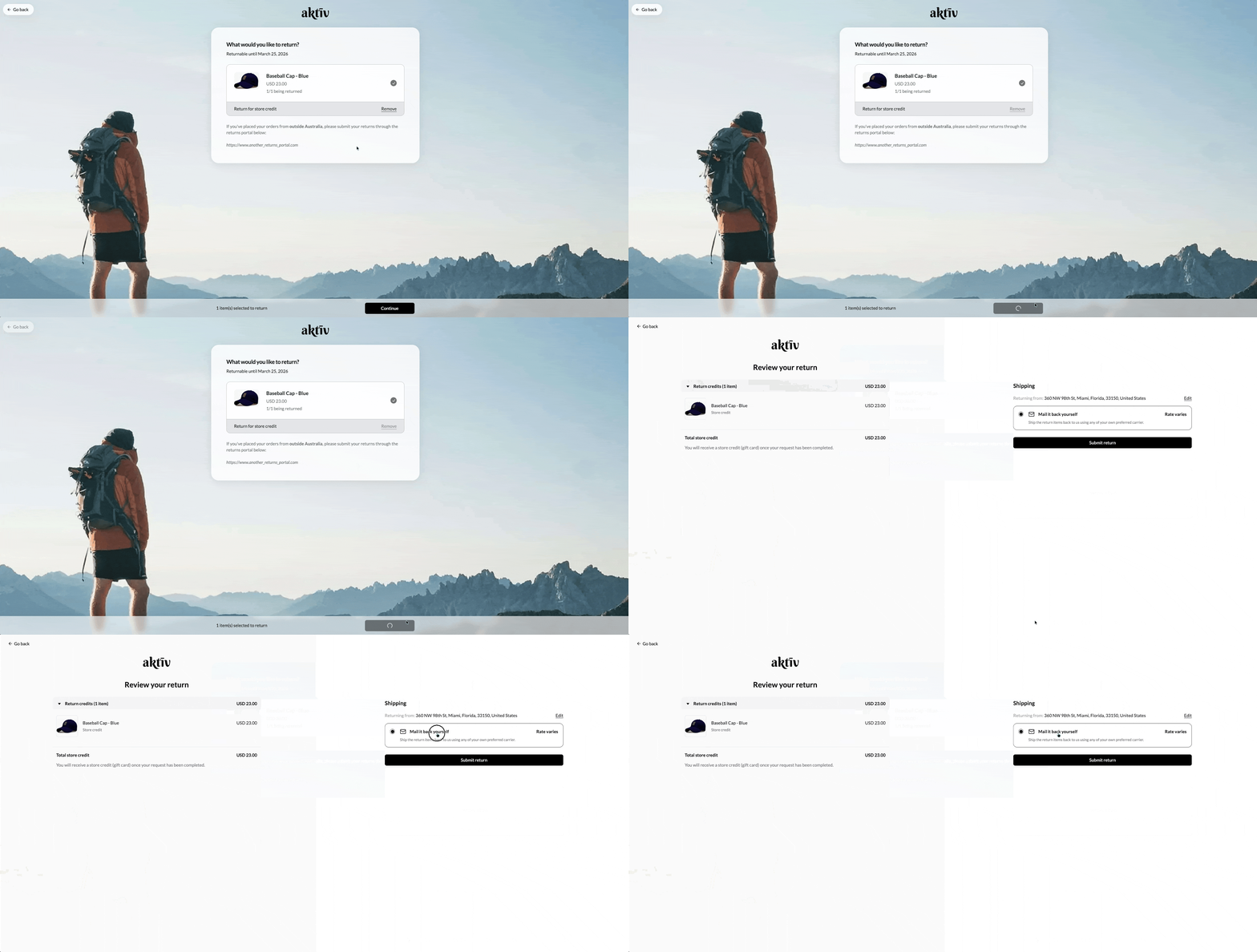
Customers will receive an automated email with detailed return instructions and the return address. From there, they will be responsible for arranging their own shipping.
This is how it would look like during the customer returns journey:
Customising the mail shipping method
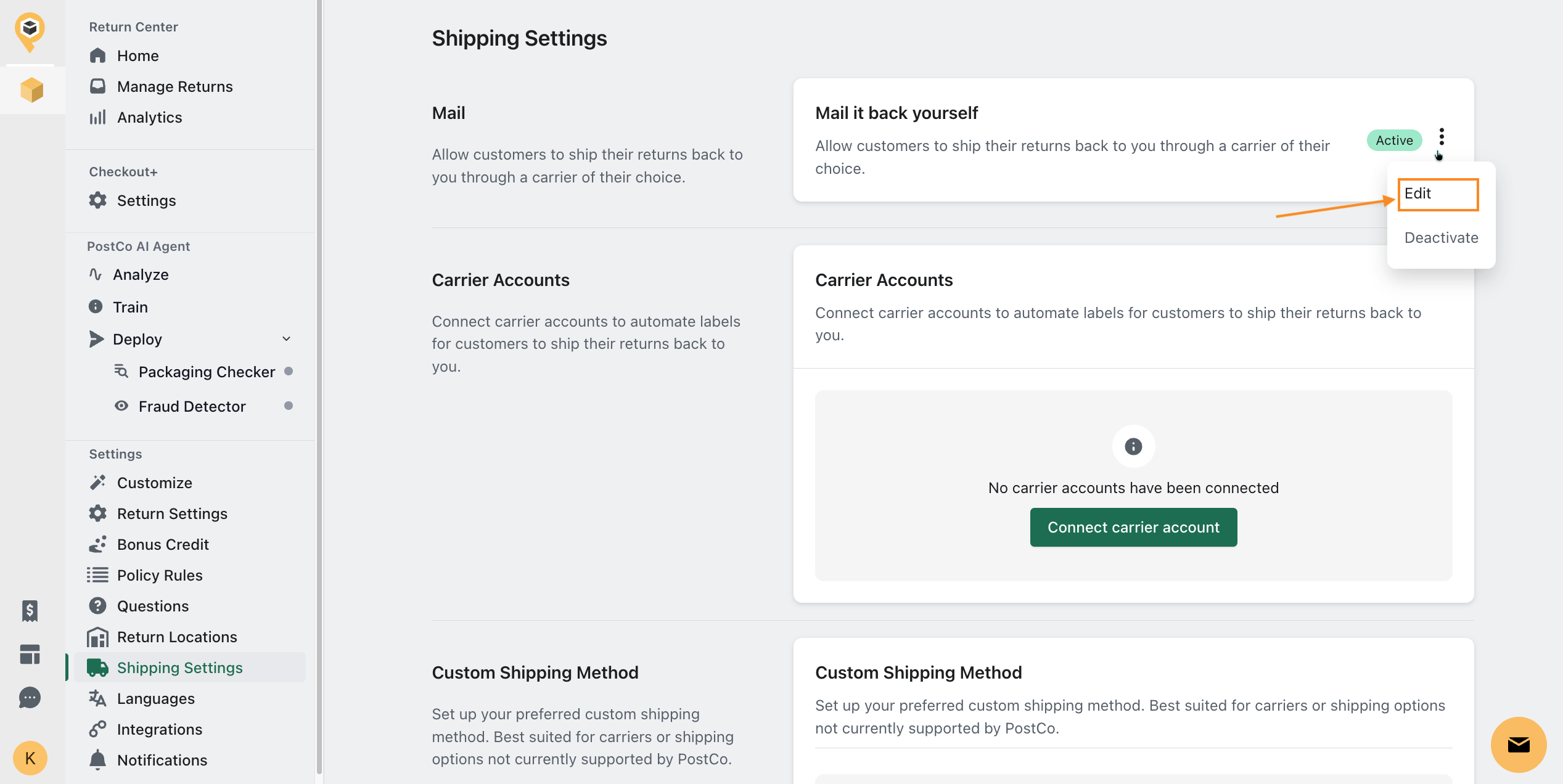
By default, all accounts come with the mail-in option enabled. To customise the mail shipping option, navigate to the Shipping Settings page and simply click on the 'Edit' button in the Mail section.
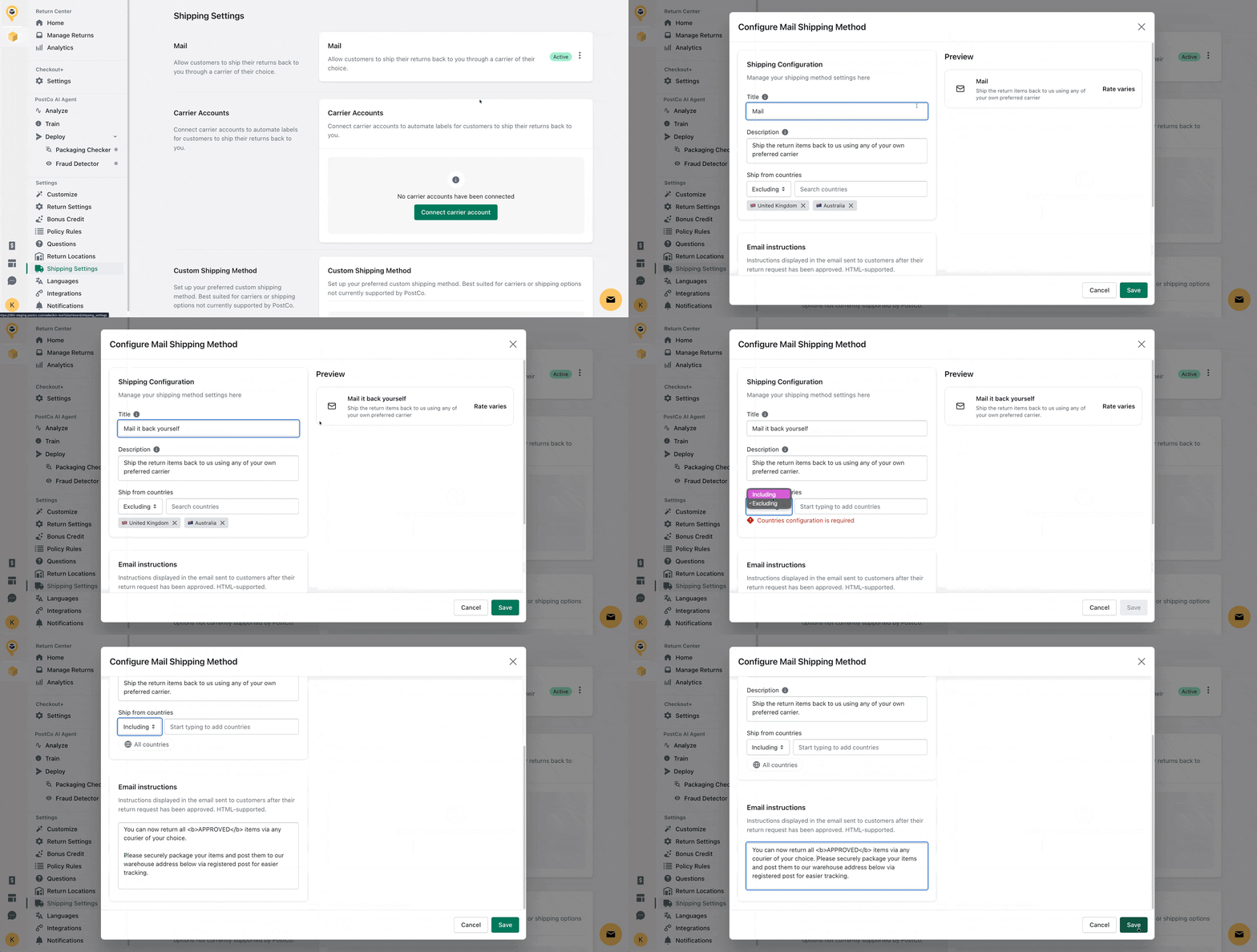
You can customise the following fields to suit your brand's voice:
Title - This appears as the name when customers are selecting a shipping method.
Description - This text will appear as a subtitle under the shipping method title, providing customers an overview of what to expect.
Ship from countries - Controls whether this shipping method is available to customers based on the country they are returning from.
Including: Only customers returning from the included countries will see this shipping method.
Excluding: Customers returning from excluded countries will not see this shipping method.
Email instructions - The steps that customers receive via email when their return is approved on how to return their items through this shipping method.
Once you've customised the above, remember to hit 'Save' to apply these changes.
Frequently asked questions
Can I deactivate the mail shipping option?
Yes, you can disable the mail-in option provided you have another shipping method enabled. You can refer to these articles for more information on setting up an integrated shipping method or a custom shipping method.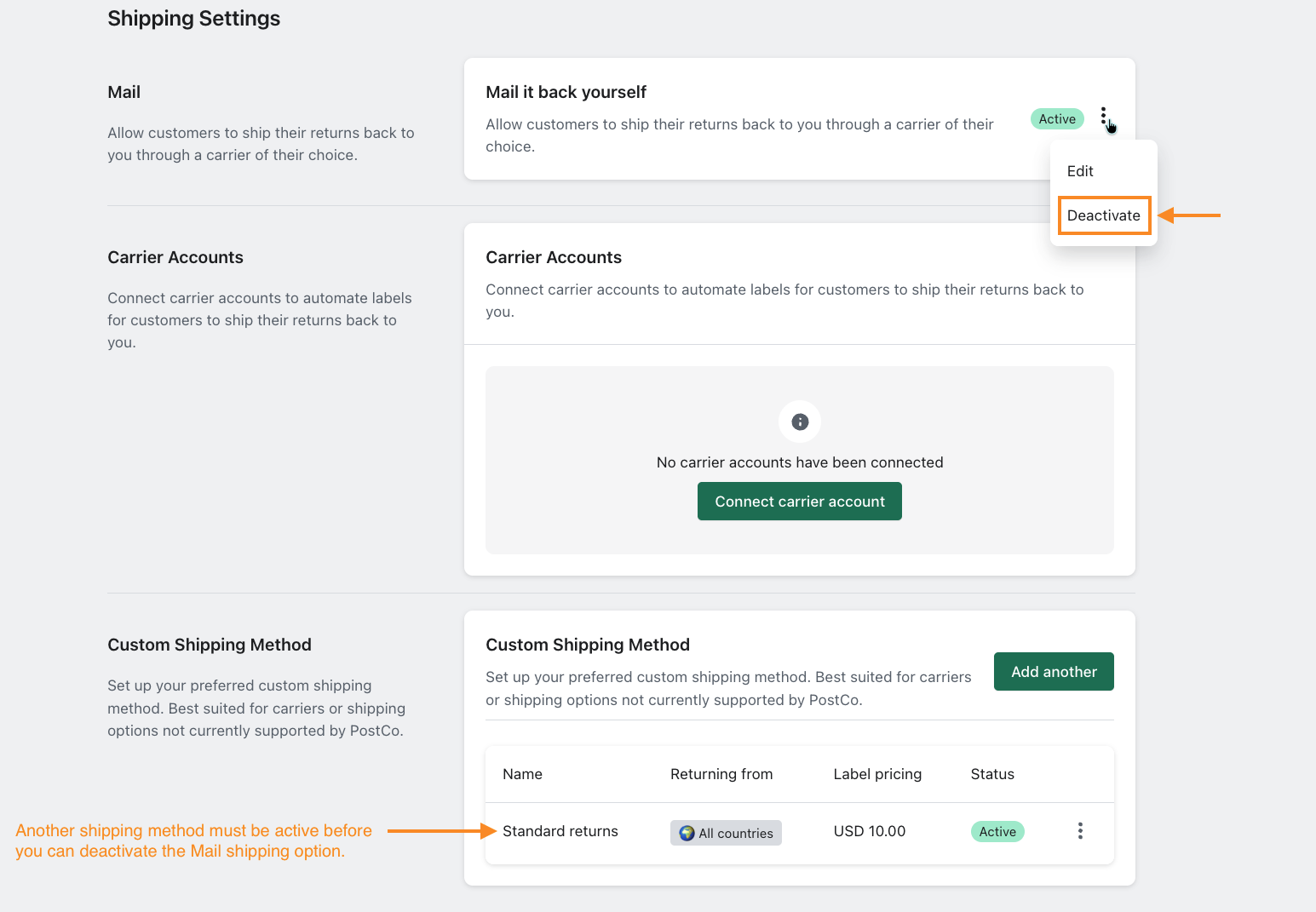
I am based in the United States. Can I offer only Mail option for returns outside of the United States?
Yes, you can control which countries the Mail shipping option is available to.
For example, you can configure the Mail option to appear only for returns originating outside of the United States, while offering a different shipping method for domestic returns.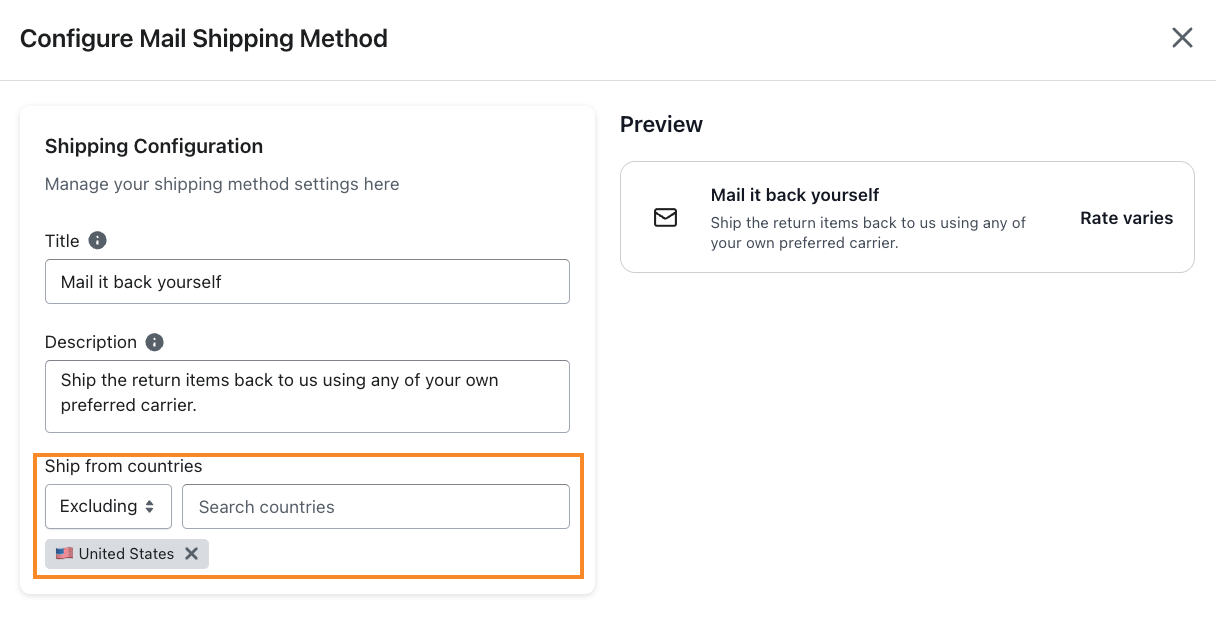
My customer no longer wants to mail the item by themselves. How do I create a return shipping label and send it to them?
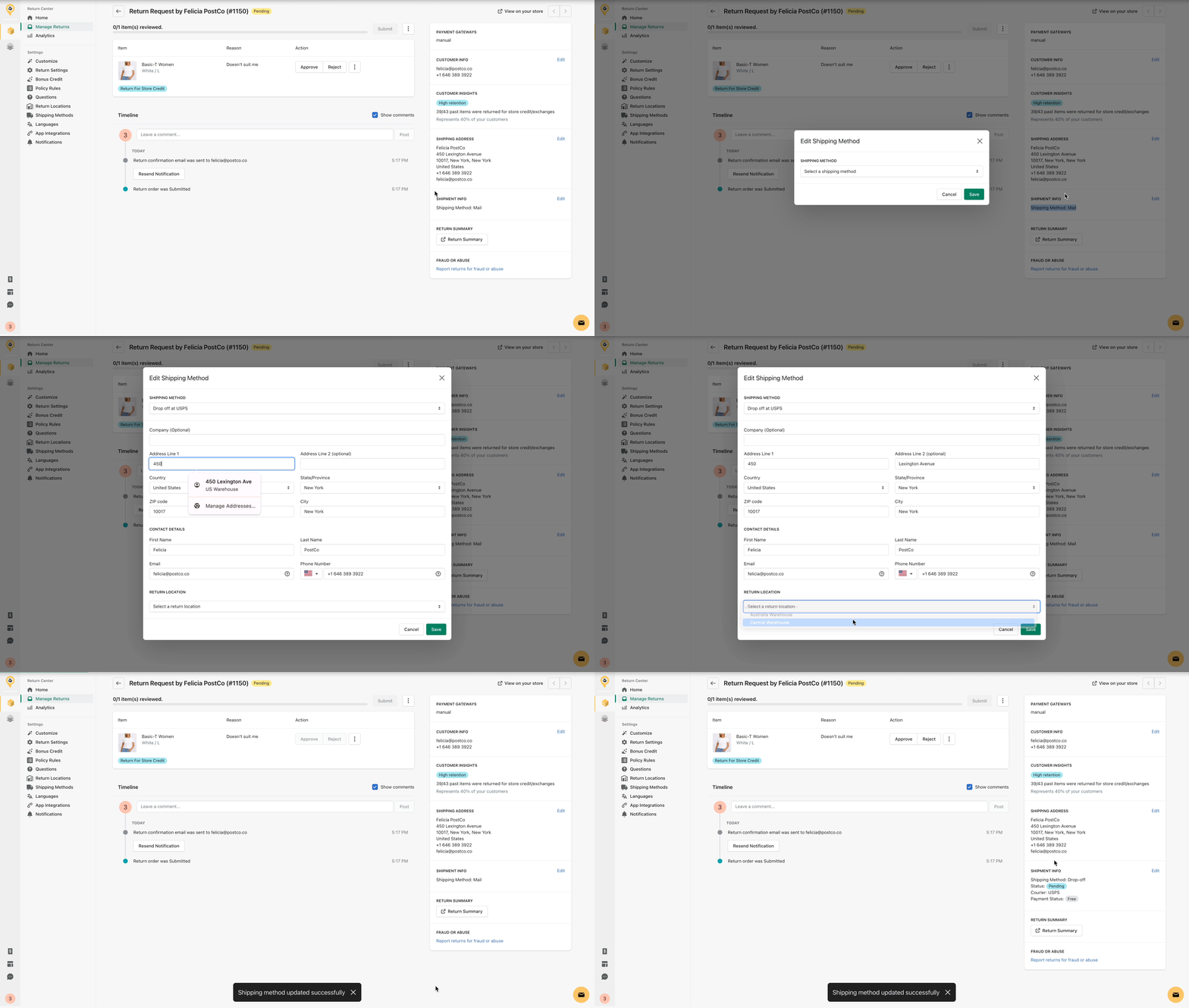
In your PostCo dashboard, search for the order to edit the shipping method. This can only be done if the return order status is still "Pending" or "Reviewed".